
How to Use BoardVision AI Scanner
Master BoardVision in under 2 minutes. This tutorial shows you how to scan UK distribution boards and extract circuit data automatically using AI-powered computer vision.
Quick Start Guide
BoardVision scans distribution boards in 30 seconds, saving you up to 2 hours per EICR. Follow these simple steps to get started. Note: You must be on at least iCertifi V12.12.30
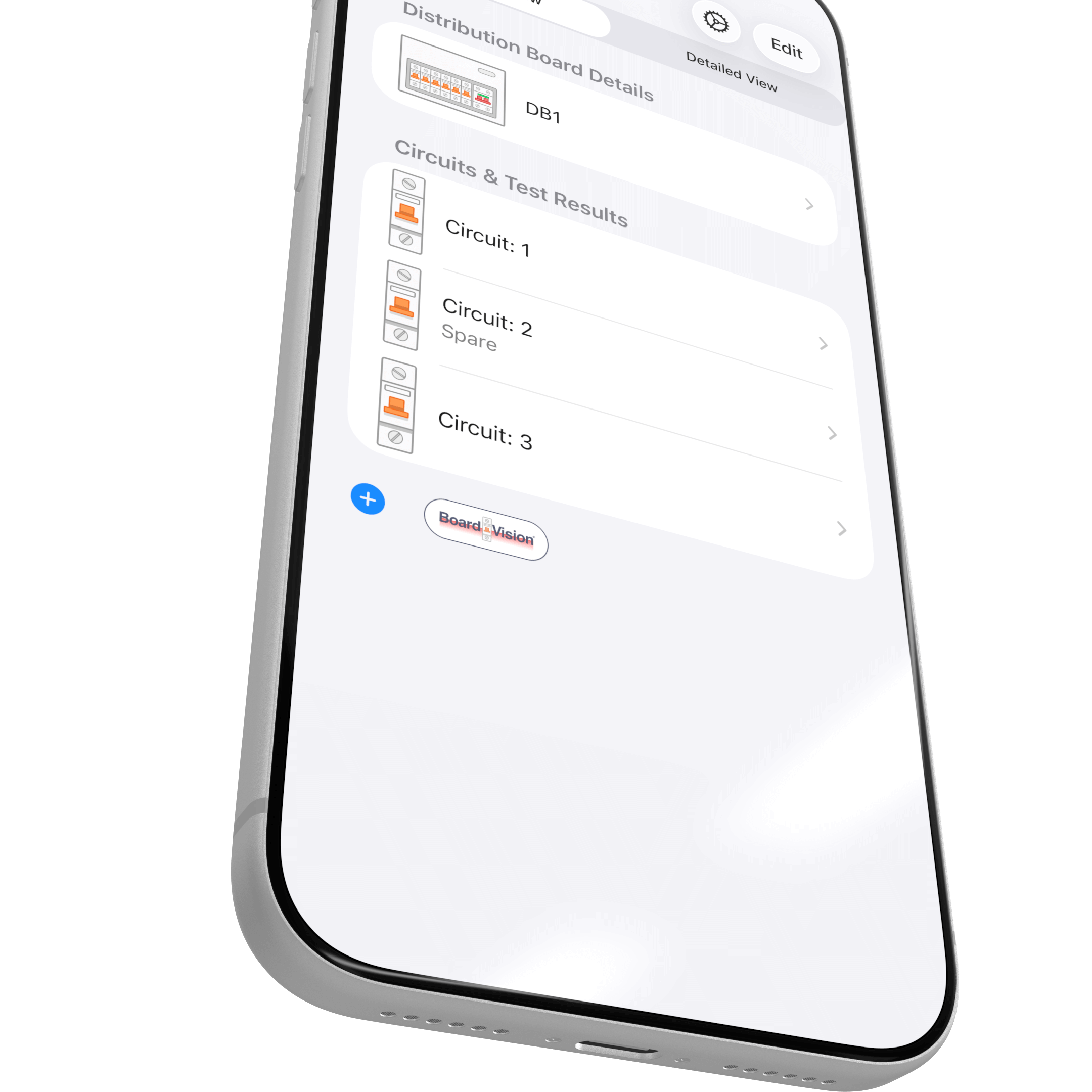
Step 1: Open BoardVision
Launch iCertifi and open the certificate you’re working on. Tap the BoardVision camera icon located in the circuits section.
BoardVision is available in both the EICR and EIC certificate types. You can access it from any circuit schedule where you need to document distribution board layouts.
Step 2: Frame Your Distribution Board
Position your iPhone so the entire consumer unit is visible in the frame. BoardVision works best when you can see:
- All circuit breakers or fuses
- The label strip showing circuit descriptions
- RCD/RCBO indicators
- MCB ratings clearly visible
- Main Switch must be included
The golden ratio guide helps you achieve optimal framing. Align the distribution board within the highlighted area for best results.
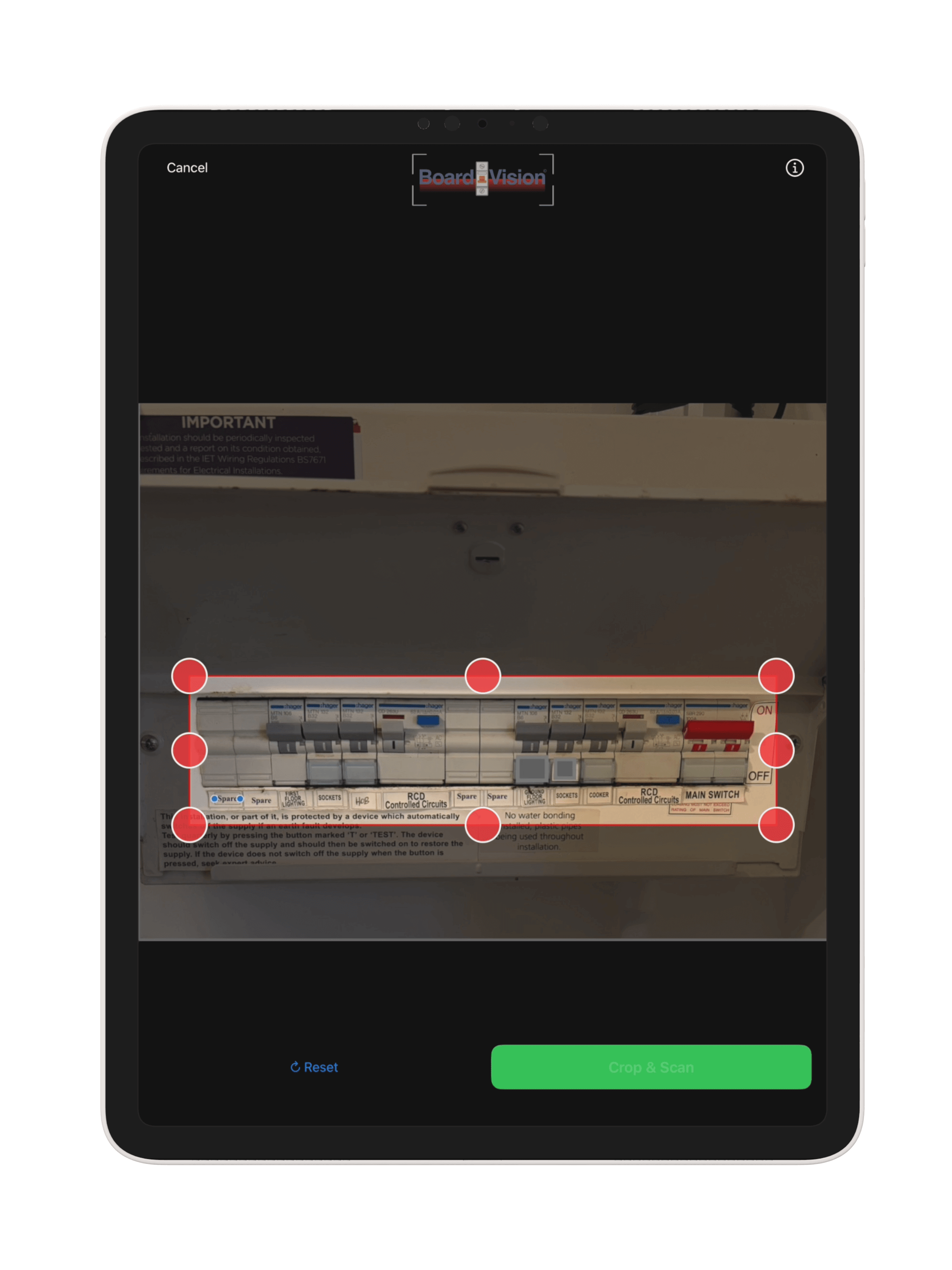
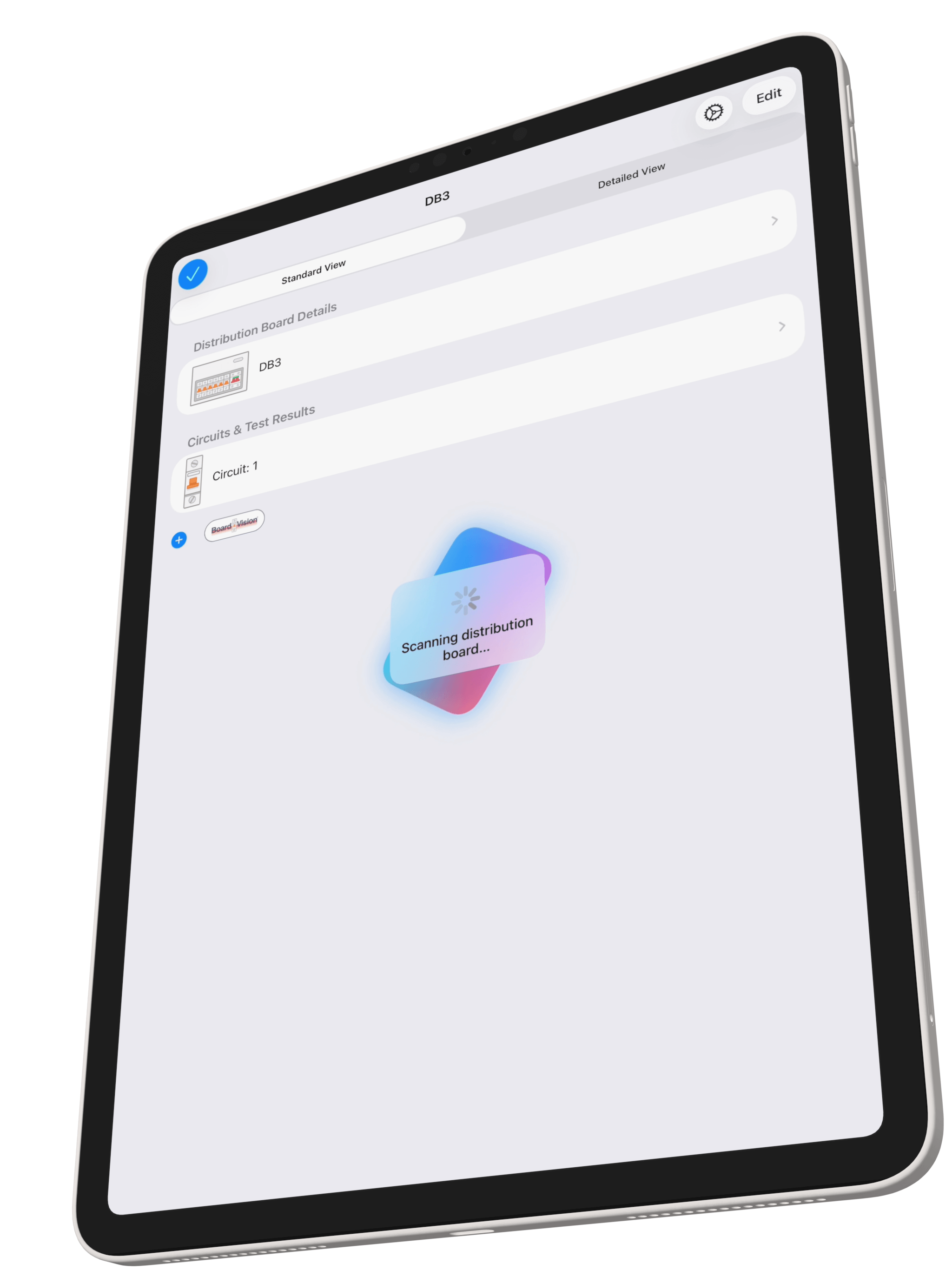
Step 3: Capture the Image
Once you have the board properly framed and cropped, capture the image. BoardVision will immediately begin analysing the distribution board.
You’ll see a scanning animation while the AI processes the image. This typically takes 30-60 seconds doeding on connection speed and size of DB board, during which BoardVision:
- Detects individual circuit positions
- Reads MCB/RCBO ratings and types
- Extracts circuit descriptions from labels
- Identifies blank positions
- Determines RCD protection groupings
Step 4: Review AI-Extracted Circuits
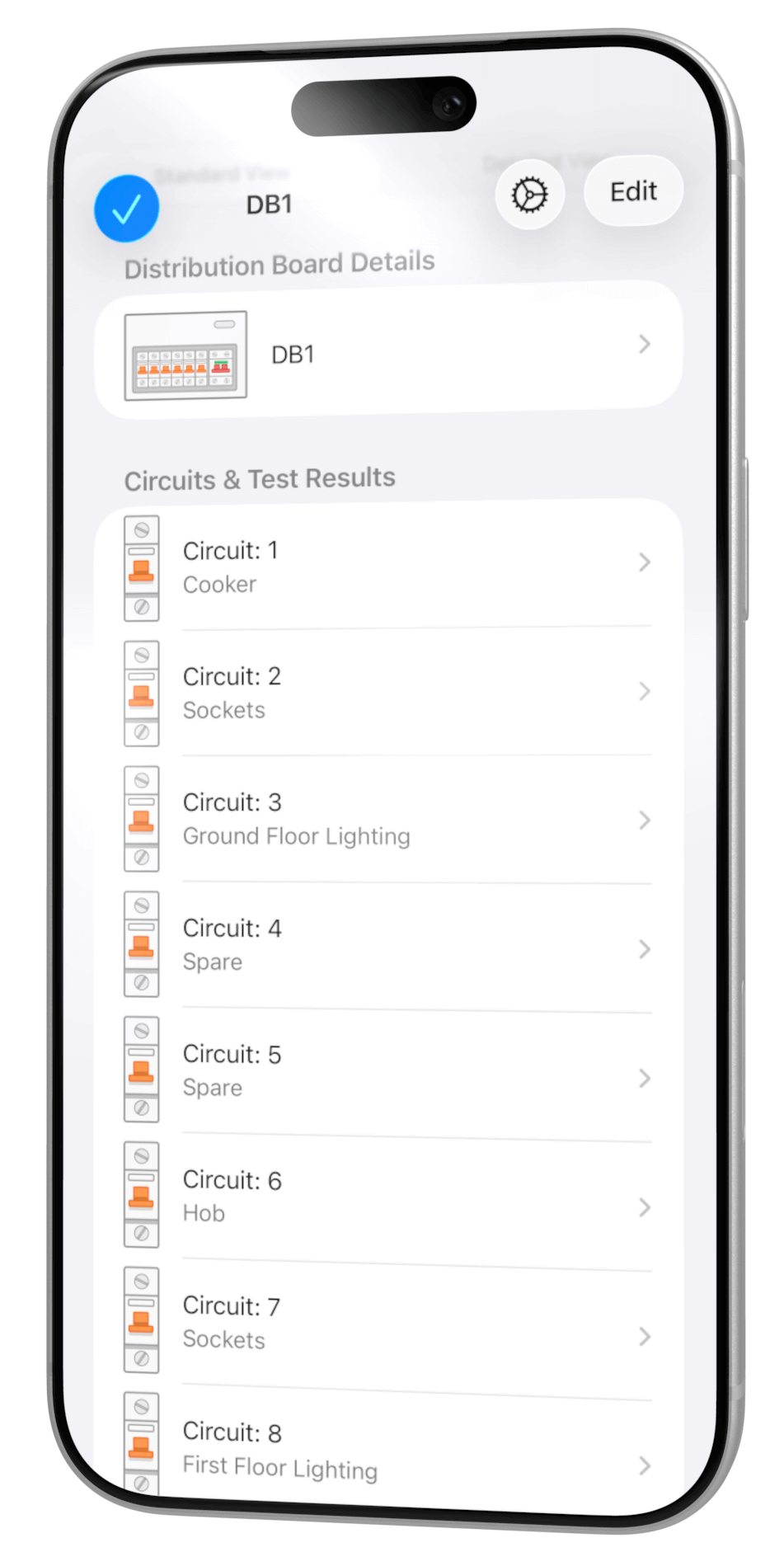
BoardVision displays all detected circuits in a clear, editable list. Each circuit shows:
- Circuit Number: Automatically numbered from top to bottom
- Description: Extracted from label strip (e.g., “Sockets Ring Main”)
- Type: Detected breaker type (MCB, RCBO)
- Rating: Current rating in amps (6A, 32A, etc.)
- RCD Protection: Which RCD group protects this circuit
Review each circuit for accuracy. The AI achieves extremely high accuracy on well-lit, clear photographs, but you should always verify critical details like circuit descriptions and ratings.
Advanced BoardVision Features
BoardVision includes powerful features for handling complex distribution boards and ensuring maximum accuracy.
Manual Crop Mode
For challenging lighting or angles, use manual crop to precisely frame the distribution board area before AI analysis.
Confidence Scoring
BoardVision assigns confidence scores to each detected circuit, flagging low-confidence items for your manual review.
Two-Pass Analysis
Automatic two-pass AI verification ensures blank positions and spatial ordering are detected with maximum accuracy.
Tips for Best Results
📸 Photo Tips
- Use natural daylight or bright workshop lights
- Crop tightly around Circuits
- Hold your phone parallel to the board face
- Ensure all OC devices are in focus
- Capture the entire board inc Main Switch
⚡ Accuracy Tips
- Always verify circuit descriptions extracted from labels
- Check blank positions are correctly identified
- Confirm RCD groupings match the physical board
- Review MCB ratings, especially on older boards
- Crop around circuits and main switch
Understanding BoardVision Tokens
BoardVision uses AI tokens to process your distribution board scans. Here’s how the token system works.
What Are AI Tokens?
Tokens are credits used to power BoardVision’s AI analysis and other Ai features in the app. Each scan consumes tokens based on the complexity of the board and image quality.
You receive 20 free tokens, you can purchase additional token packs as needed for high-volume work.
Token Pricing
- Standard Scan: 1 token per circuit
- Failed Scans: No tokens charged
Token Packs: Available in-app starting from £0.99 for 10 tokens. The more you purchase the cheaper they become
Ready to Save Hours on Every EICR?
Download iCertifi and start using Board Vision AI today. Free trial includes 10 scans to test on your own distribution boards.
Explore More iCertifi Features
MFT Scanner
Photograph test instrument readings and auto-populate your certificate test results.


AI Compliance Checker
Automated BS 7671 validation catches errors before you issue certificates.
SparkAI Assistant
Ask questions about BS 7671 regulations and get instant, accurate answers.
Troubleshooting
Solutions to the most common BoardVision scanning challenges.
Problem: BoardVision doesn’t detect empty spaces in the consumer unit.
Solution: BoardVision uses two-pass analysis to detect blanks, but occasionally needs help with unusual board layouts. Use the manual circuit entry to add blank positions, or retake the photo with better lighting to highlight the empty MCB slots.
Prevention: Ensure the entire board is evenly lit. Shadows can make blank positions appear occupied to the AI.
Problem: The AI misreads handwritten or faded label strips.
Solution: Tap any circuit to manually edit the description. BoardVision’s OCR works best on printed labels, but you can always override with correct information.
Prevention: For boards with poor or missing labels, consider photographing just the MCBs and manually entering descriptions—this is still faster than traditional data entry.
Problem: BoardVision shows wrong amp ratings for breakers.
Solution: This usually occurs with dirty or worn MCB labels. Check each rating during your review step and correct as needed. Tap the rating field to select from standard values (6A, 16A, 20A, 32A, 40A, etc.).
Prevention: Wipe dusty MCBs with a cloth before photographing to improve AI accuracy.
Problem: AI incorrectly assigns circuits to RCD groups.
Solution: RCD detection relies on visual cues in the board layout. Review the groupings and manually reassign circuits as needed. BoardVision learns from corrections to improve future scans.
Prevention: Ensure the full width of the consumer unit is visible, including any RCD labels or indicators.
Problem: BoardVision says image is too dark, blurry, or unclear.
Solution: Improve lighting and retake the photograph. BoardVision needs clear visibility of MCB details to work accurately.
Prevention: Use your phone’s torch/flash in dark cupboards, or temporarily shine a work light on the board while capturing.