Test Vision Tutorial
Master Test Vision in under 2 minutes. Capture test instrument readings instantly using AI-powered data extraction.
What is Test Vision?
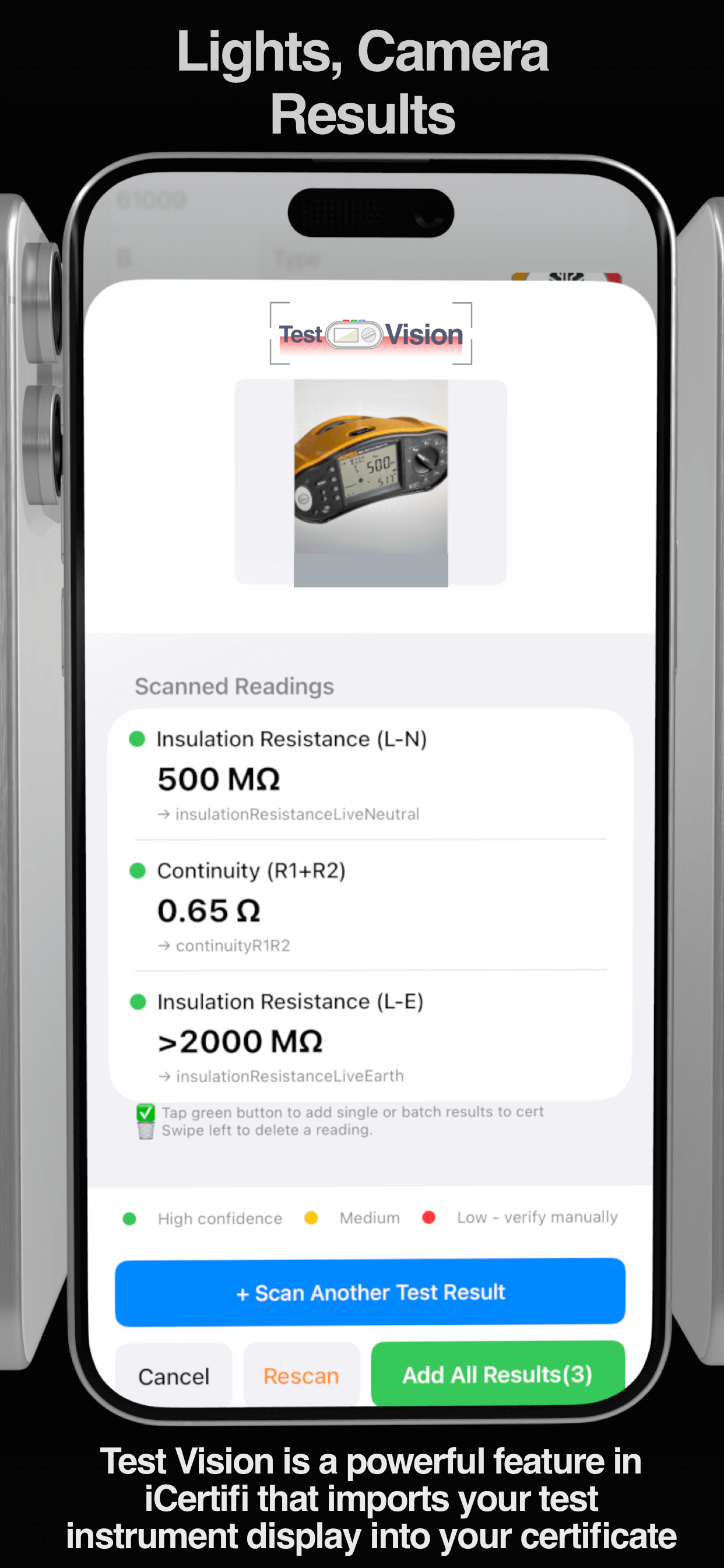
Test Vision is a powerful AI feature in iCertifi that automatically reads your test instrument display and imports the results directly into your electrical certificate.
Instead of manually typing readings like loop impedance, insulation resistance, and RCD trip times, simply photograph the screen of your multifunction tester.
No cables. No Bluetooth pairing. No manual data entry.
Just point, capture, and import.
How Test Vision Works
Step 1: Take Your Test Reading
Perform your electrical test as normal on your multifunction tester. Whether it’s Zs, insulation resistance, RCD trip time, or continuity – complete the test and view the result on your instrument’s display.
Step 2: Photograph the Test Instrument
Open Test Vision in iCertifi and photograph the test instrument screen. Make sure the display is clearly visible with good lighting and minimal glare.
- Hold phone straight-on to the display
- Include dial position if possible
- Ensure readings are in focus
- Avoid shadows and reflections
💡 Pro Tip: Photo whole instrument, not just display .
Step 3: Review & Confirm
Test Vision analyzes the image and displays the detected test type and readings. Review the extracted values for accuracy.
The AI highlights any low-confidence readings for verification before importing.
Step 4: Import to Certificate
Tap confirm to populate your certificate fields automatically. The correct test values are inserted into the appropriate locations.
✓ Time Saved: No more manual typing of test results. iCertifi automatically scrolls to the text box and highlights it in yellow

Supported Test Instruments
Test Vision supports all major UK electrical test equipment manufacturers.
You are not tied to any manufacturer
Frequently Asked Questions
What is Test Vision?
Test Vision is an AI-powered feature in iCertifi that reads electrical test instrument displays and automatically imports the results into your electrical certificate.
Which test instruments are supported? (virtually all of them)
Test Vision supports popular UK electrical testers including Megger (MFT1711, 1721, 1731, 1741, MFT-X1), Fluke (1652-1664 series), Kewtech (KT65DL, KT66DL, KT66EV), and Metrel (MI 3152, MI 3155) instruments and more!
Does Test Vision require a cable or Bluetooth connection?
No. Test Vision works using your device camera and does not require any physical or wireless connection to the test instrument. Just photograph the display.
Ready to Try Test Vision?
Available now in iCertifi V12.12.30