For years iCertifi Cloud Pro has been where electricians write their certificates. A certificate is only one part of a job, though. Before it there is the phone call to book the visit, the text to confirm it and the drive to the address. After it there is the invoice and, months later, the reminder that the next inspection is due.
With the Diary, Cloud Pro covers the whole job, from booking the visit to the reminder that brings the customer back.
1. Book the visit
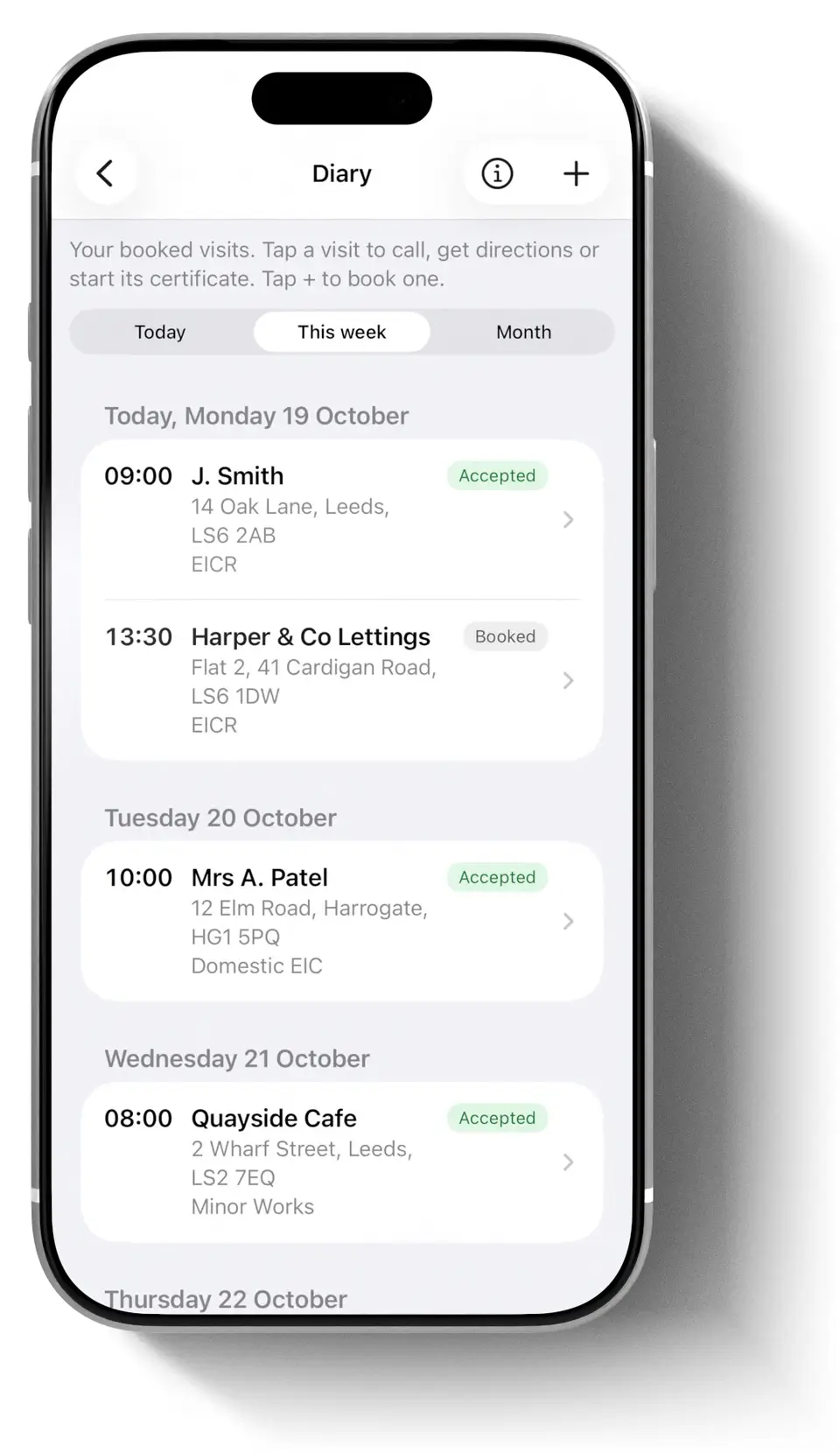
The Diary keeps every visit in one place: today, this week, or any day on the month calendar. Choose a client from Client Hub, check the address of the visit, set the day, the start time, how long it takes and the certificate you will do, and tap Save. Your next visit sits on the Home screen.
2. Your customer confirms it
Open the visit and tap Send confirmation. Your customer gets an email from your business name with three buttons: Accept, Decline and Ask for another time. They do not need an app or an account. When they answer, a notification tells you and the visit is labelled Accepted, Declined or Wants a new time. No phone tag.

Move or cancel a visit and Cloud Pro offers to email the customer the change, so nobody waits in for a visit that has moved.
3. On the day
From the visit, call the customer and get directions in Apple Maps. When you arrive, tap Start certificate and the right certificate opens with the client and the address filled in. Once you save it, the visit shows Done.
4. Write the certificate
This is the part Cloud Pro has always done. Board Vision scans the distribution board from a photo, Spark AI is there for technical questions on site, and every BS 7671 certificate syncs across your iPhone, iPad and Mac.
5. Sign off and keep the client in the loop
On Enterprise plans a Qualified Supervisor can review and sign remotely, with an audit trail. On Enterprise and Team plans your client can follow the job from a private link or Apple Wallet.
6. Invoice it
Connect Cloud Pro to MintBooks and, the second you save a certificate, MintBooks builds the draft invoice with the client, property and price. Check it, send it, get paid.
7. Bring the customer back
Client Hub keeps every client and every certificate together, and Retests due lists what is coming up. Swipe a certificate there to book the retest visit in the Diary. On Team plans, Cloud Pro can also email your customer automatically before the next inspection is due.

Part of your subscription
The Diary comes with every iCertifi Cloud Pro subscription, on iPhone and iPad. Bookings are your own: they stay on your devices through your iCloud, never in a team’s shared certificates.
See how the Diary works, step by step ›