The document, rebuilt
Tested, passed and failed on the front page. Over 40 appliances to a page. Failures printed with their photograph. And it holds together at true print quality – on paper, in a folder, in front of a client.
A PAT test certificate does not live on your phone. It gets emailed to a facilities manager, printed, dropped in a folder, and pulled back out eighteen months later when somebody asks a question about a kettle. If it prints badly, that is what your work looks like.
So in version 1.8 we drew it again from scratch. Not a tidy-up. A new document.
Here is what changed, and why it matters on a real job.
Tested, passed and failed. At the top.
The first thing anybody looks for on a PAT test certificate is the number that failed. It now sits in a clear summary at the top of the front page – how many appliances you tested, how many passed, how many failed. Nobody has to scroll to the schedule and count.
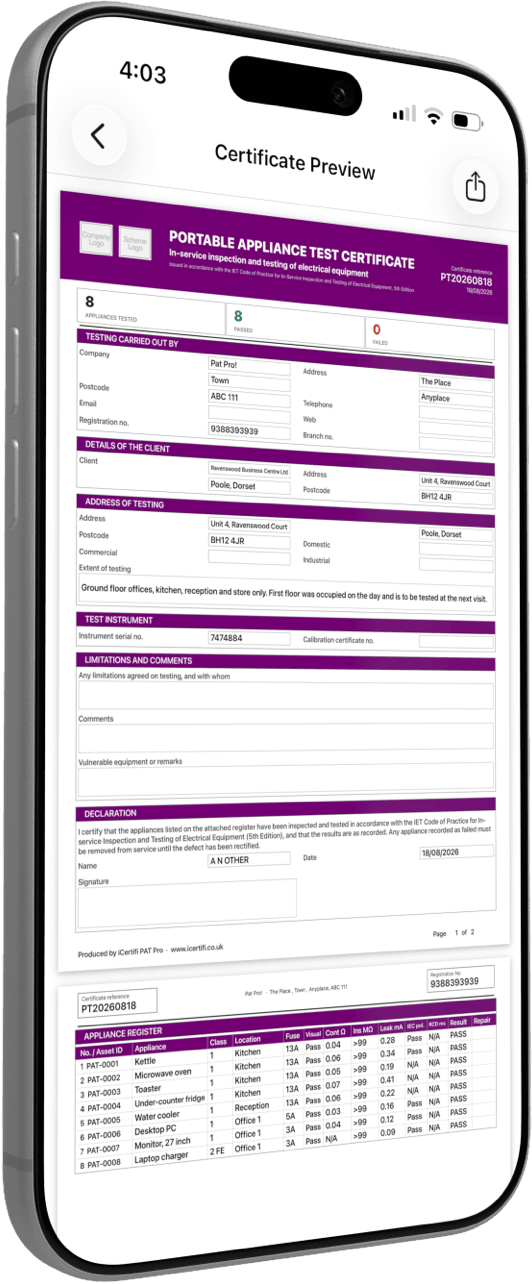
The front page. Tested, passed and failed at the top – and the register begins on page two.
Over 40 appliances to a page.
The appliance register has been retypeset. It now fits over 40 appliances to a page, so a big school or office job prints as a document rather than a ream. Everything stays legible at full size – the register got denser, not smaller.
Failures print with the photograph.
Every appliance that failed now prints on a dedicated photo evidence page, with the picture you took at the time. The client sees the frayed lead. You do not have to describe it in an email, or go hunting through your camera roll three weeks later when somebody queries the charge for replacing it.
Photos are no longer cropped either. They print at a proper size, so the defect is actually visible on paper.
Asset Record exports match. The register you hand over as a spreadsheet or PDF uses the new design too, so it looks like it came from the same place as the certificate.
What a PAT test certificate should contain
There is no single legal template for a PAT test certificate. What matters is that the record shows who inspected what, when, what was measured and what was concluded – clearly enough that somebody else can pick it up later and rely on it. In practice that means:
Who carried out the work – your business details, the engineer, and the date of the inspection.
The site and the client – where the appliances are, and who the record belongs to.
Each appliance, identified – an appliance ID, a description and a location, so an item can be found again.
Class and fuse rating – because they determine which tests apply and what the limits are.
The inspection and the test results – the formal visual inspection, plus the readings you took and the limits they were judged against.
A clear pass or fail per item – and, for a failure, what was wrong.
The next inspection date – based on a risk assessment for that equipment in that environment, not a fixed annual habit.
PAT Test Pro records all of it and prints it in that order. If you want to work out the right retest interval rather than defaulting to twelve months, there is a free PAT testing risk assessment calculator on this site, and a longer PAT testing frequency guide that walks through the IET approach.
Updated to the IET Code of Practice, 5th Edition
A certificate is only as good as the limits it judges results against. Version 1.8 brings the accuracy side up to the 5th Edition.
Test limits updated to the 5th Edition, including Class II FE.
RCD testing can now be recorded against an appliance.
The printed label shows the recorded result, so the sticker on the appliance agrees with the certificate.
Printing a retest date on the label is now a setting, off by default, in line with the Code. Turn it back on if a particular client insists.
Calendar reminders use the interval you recorded, not a fixed year. If you assessed an item at six months or three years, that is what goes in the diary.
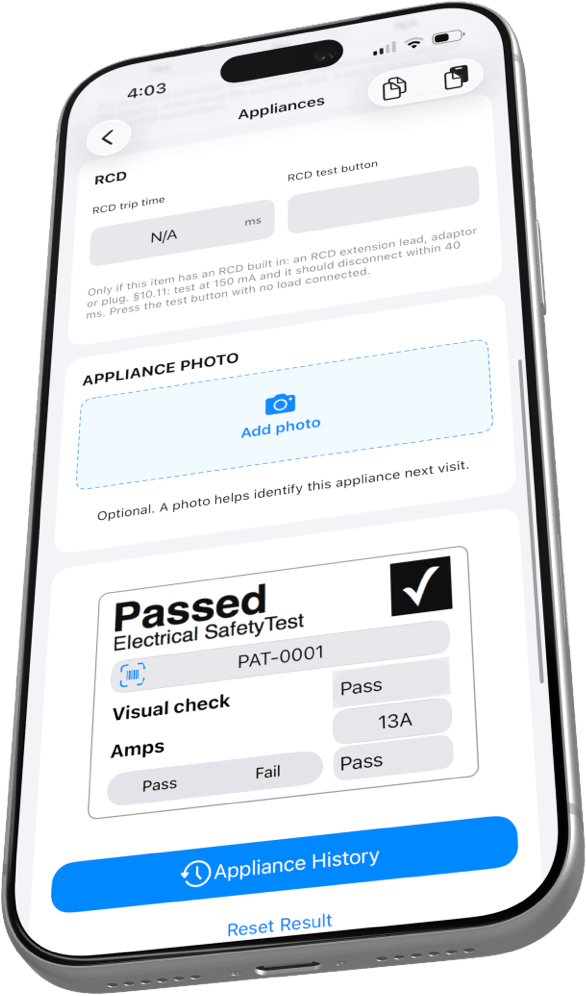
RCD trip time recorded against the appliance, and the label now printing the result.
Quicker to fill in, screen by screen
Every screen in the app has been rebuilt around grouped cards, so related fields sit together and you can see where you are without reading every label. Small things, but you touch them a hundred times a day.
The Next button tells you where it goes
No more tapping Next and hoping. It names the screen you are about to land on.
A redesigned certificate menu
Clear sections and icons, so you can jump to the part of the certificate you actually need.
A new signing panel
Smoother, more natural ink. Signatures on a phone screen finally look like signatures.
Grouped cards throughout
Easier to read on site, and quicker to fill in with cold hands in a plant room.
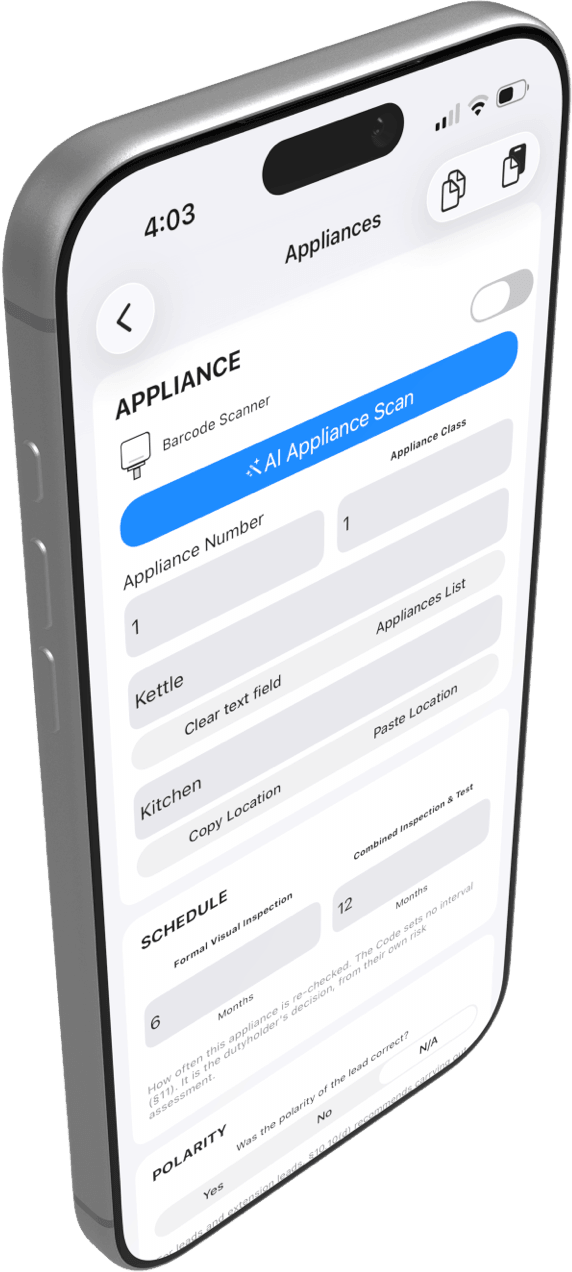
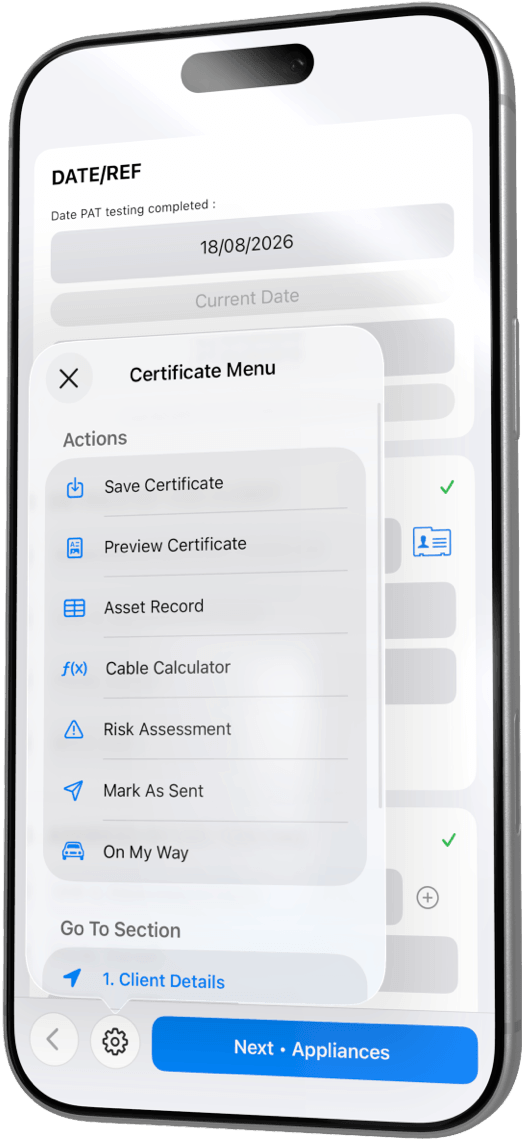
Grouped cards on the entry screen, and the redesigned certificate menu. Note the button: Next – Appliances.
New: a client book that builds itself
There is a new Clients tab on the Dashboard. It builds your client book automatically from the jobs already on your device – nothing to import, nothing to set up, no spreadsheet to maintain. Open it and your clients are already there.
From a client you can see every job you have done for them, keep notes against them, and get a reminder before their retests fall due. Tap the reminder and the app takes you straight to that client.
Retest work is the most profitable work you will do. You have already been to the site, you already know what is on it, and the register is already in your pocket. The only thing that ever loses it is forgetting. That is the job this tab does.
It sits alongside Appliance Passport, which does the same thing one level down – the full test history of every individual appliance you look after.
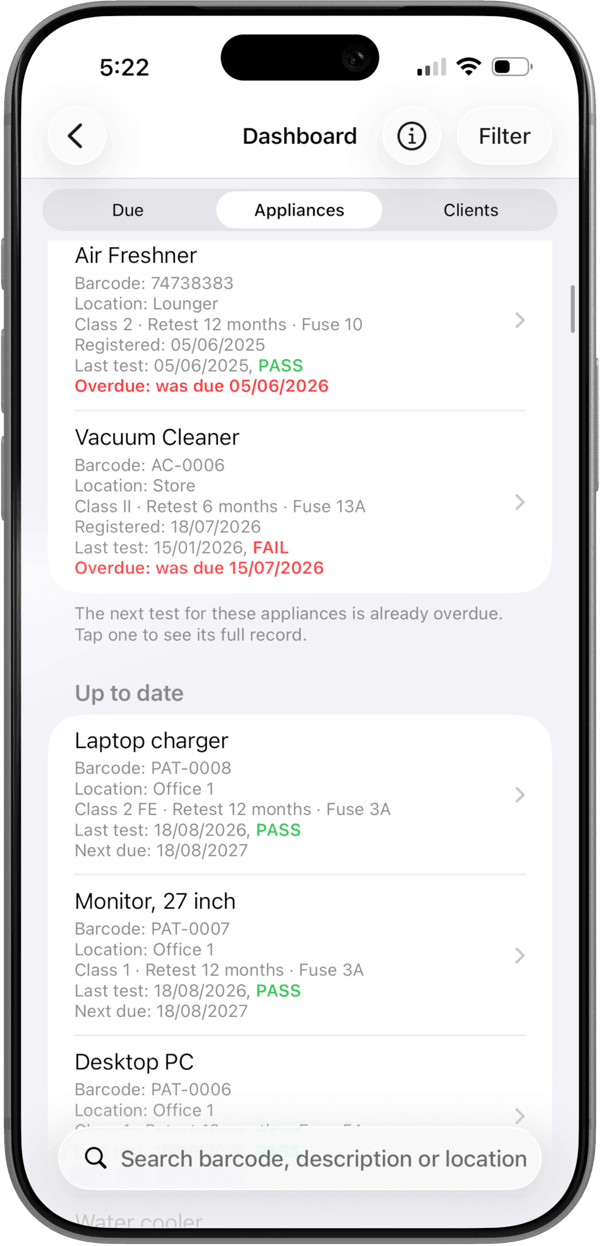
The Dashboard, with the new Clients tab alongside Due and Appliances. Overdue work sits at the top.
It talks to your other apps
Verifi
Stop typing instrument serial numbers
Pick your test instrument straight from Verifi on the Contractor Details screen. Make, model and serial number fill themselves in, and Verifi keeps the calibration record behind them. How the instrument picker works.
Mint Books
The certificate raises the invoice
Connect Mint Books and a completed certificate produces a draft invoice on its own – priced per appliance if you want it that way. Check it, send it, get paid. How the Mint Books link works.
Fixes and reliability
- Appliance photos are no longer cropped, and print at a proper size.
- A failed AI scan now keeps the photo you took, instead of throwing it away.
- Duplicated certificates keep their appliance order.
- Backup and Restore is more reliable.
- Many stability and crash fixes throughout the app.
PAT Test Pro 1.8
Update from the App Store and the new certificate is there. Existing jobs pick up the new design the next time you export them.