
iCertifi
Cloud Pro
Cloud Electrical Certification App for UK Contractors & Teams
Start on iPhone, finish on iPad or Mac. Every certificate synced, with your team and your QS in the same app.
 7 day free trial
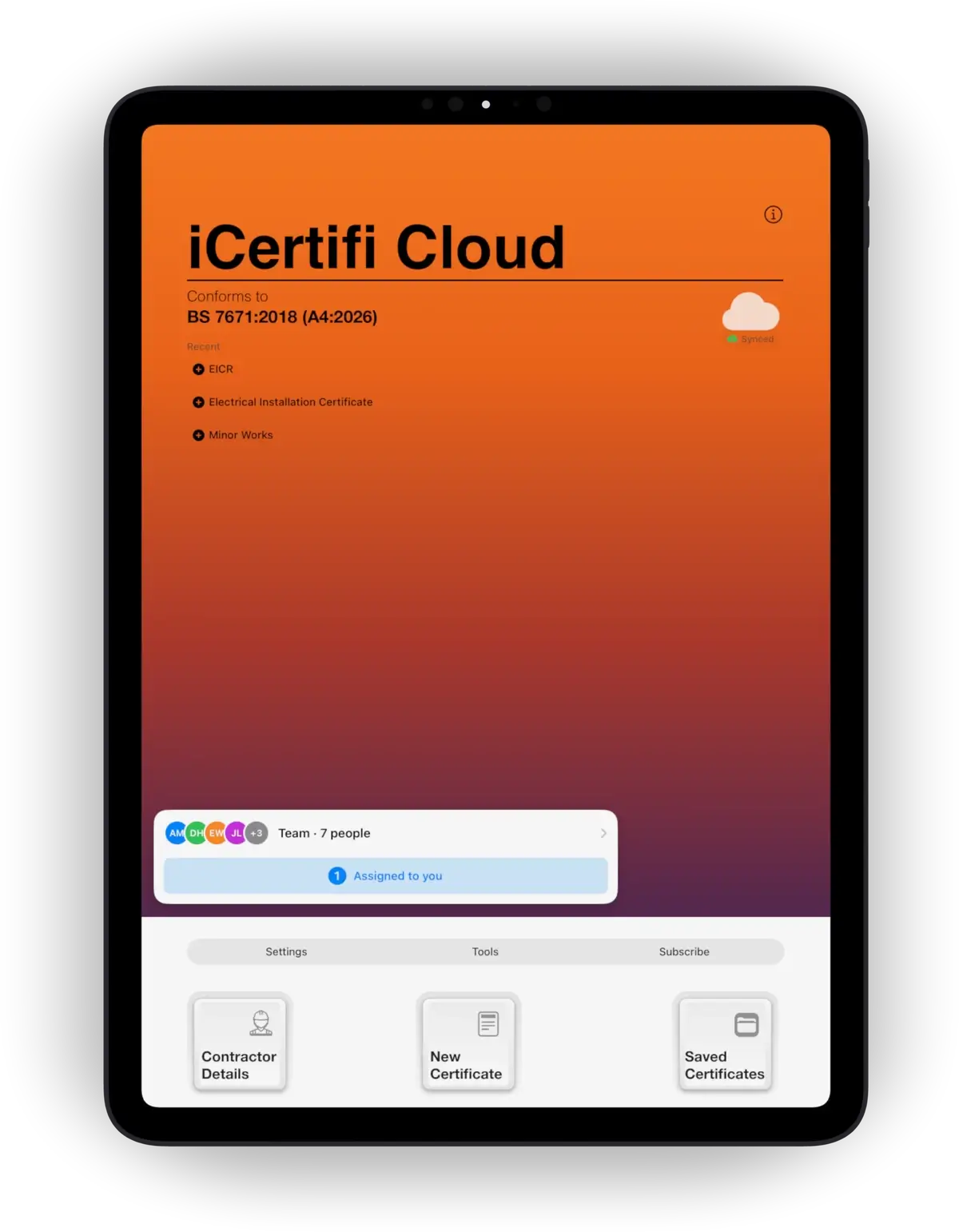
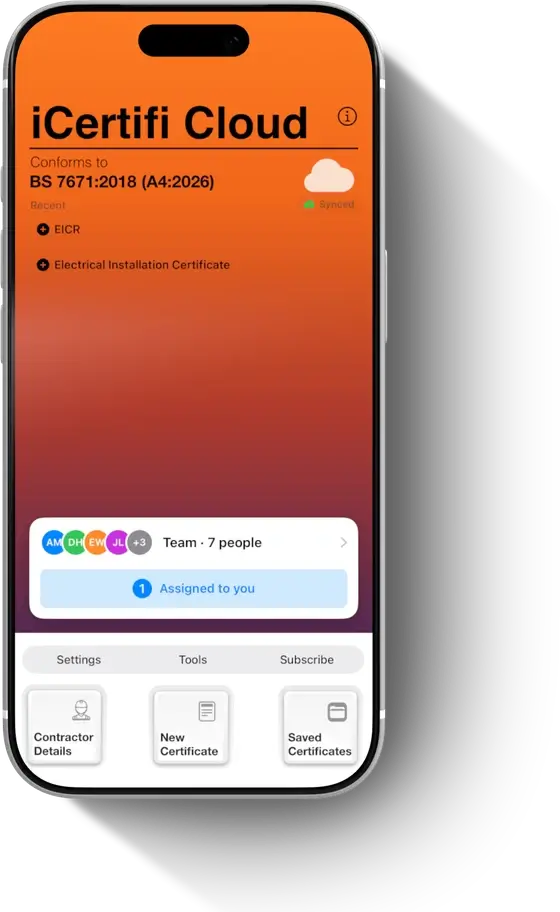
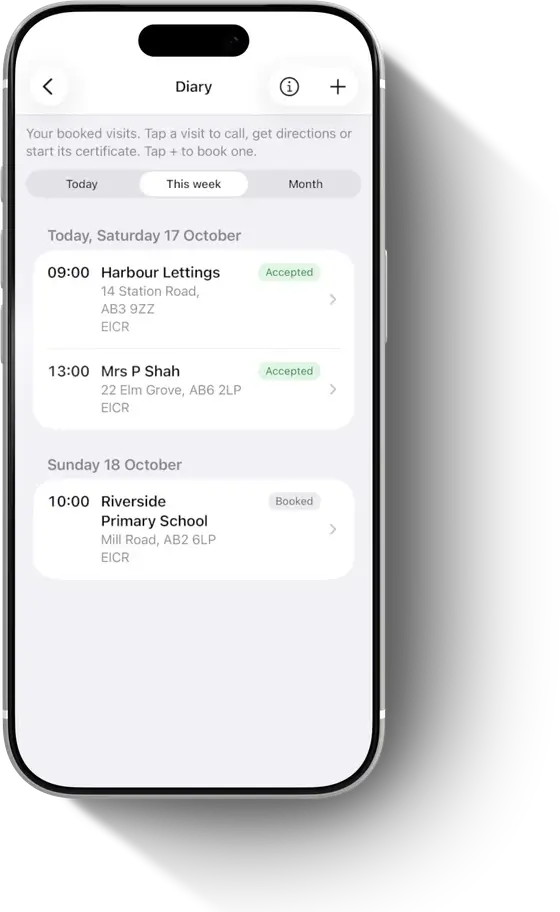
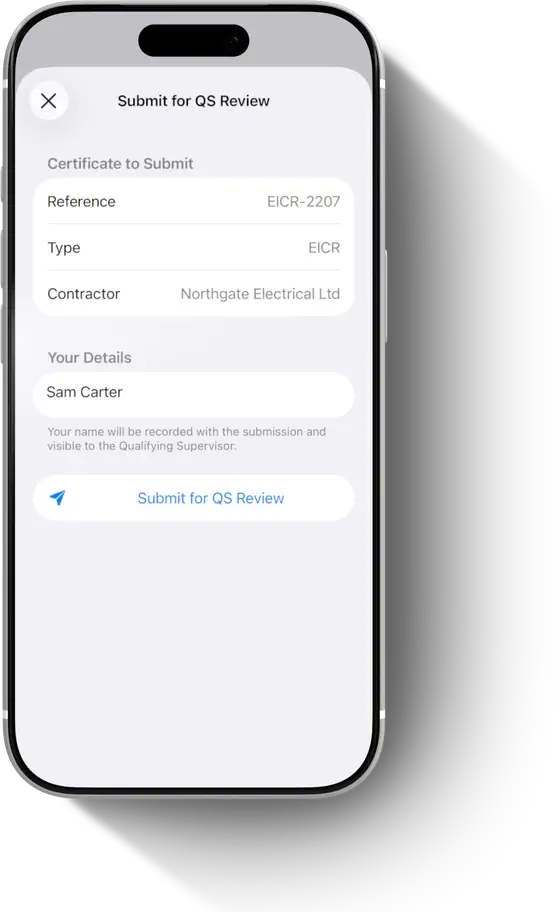
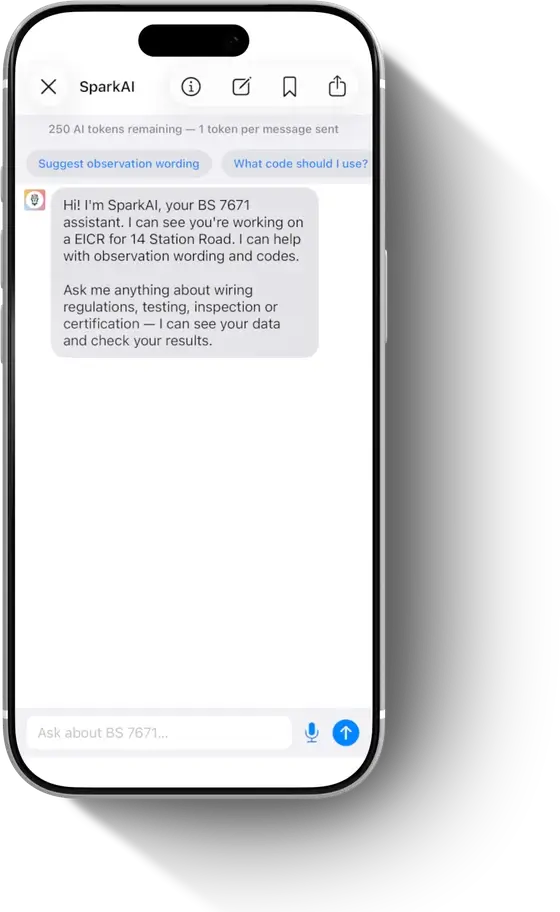
Works with no signal. Syncs to every device.

iPhone, iPad and Mac
Certificates sync through your iCloud. Start on your iPhone on site, carry on on the iPad and finish on a Mac in the office. Replace a phone, sign in, and they are all there.

No signal needed
Fill in, sign and save certificates in a plant room or a basement with no signal. Everything is saved on the device as you type and syncs when you are back online.

Duplicate in one swipe
Swipe a certificate and tap Duplicate for the next flat, unit or board. Choose in Settings whether the copy keeps the test results. The original is left as it was.

Remote QS sign off
Your Qualifying Supervisor reviews and signs certificates from the QS Dashboard on their own device, without going to site.

Spark AI
The assistant for the whole app. It finds certificates, opens the page or setting you need and makes changes when you tell it to, and answers BS 7671 questions with your readings in front of it.
Try it free for 7 days
Download iCertifi Cloud Pro and try it on your next job before you subscribe.

Board Vision. AI Distribution Board Scanner for Electricians
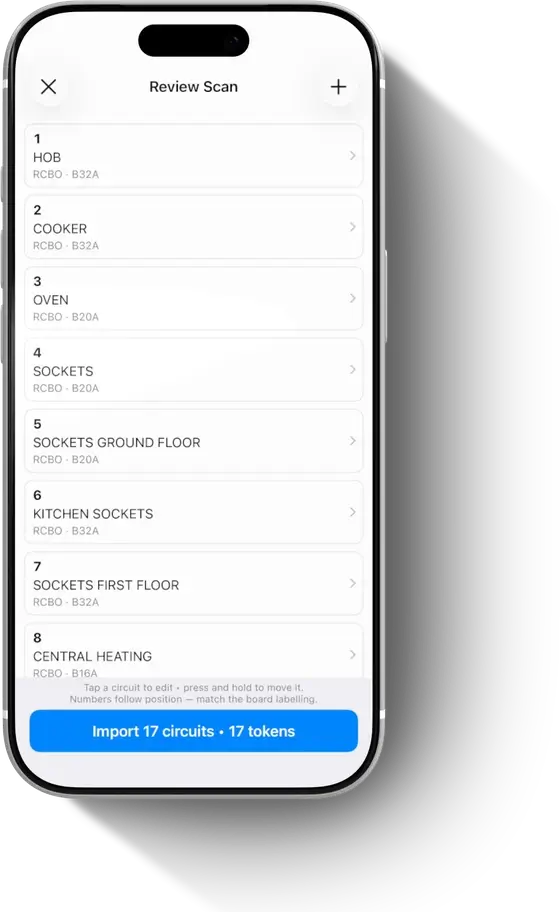
BoardVision sees what takes you hours. Photograph a distribution board and it captures all the circuit information for you.
-
Point your camera at the fuse board. It identifies circuits, layout, MCBs, RCBOs and RCDs.
-
DB boards, PDFs, paper schedules and photos. Board Vision reads them all and builds your full distribution board schedule in seconds.
-
Straight into the certificate. All data is transferred directly into the electrical certificate, with no manual circuit entry.
How Board Vision works
Take a photo of the consumer unit and crop it to the breakers and main switch. Board Vision checks the photo is sharp, well lit and big enough, reads every device, rating and label, numbers the circuits from the main switch and pre-fills each circuit on your certificate.
See Board Vision at work
iCertifi Check
Proof your certificates are genuine, whoever receives them.
Every certificate you send from iCertifi or iCertifi Cloud Pro carries a digital seal. Councils, housing associations, letting agents, landlords and insurers check it on iCertifi Check: made in iCertifi, and not changed since. Not one result, date, address or page.
The certificate details are not the ones that were sealed.
What the seal covers
- Every result, reading, date and address on the certificate
- Every observation and its code
- Every page of the PDF, so a page cannot be swapped
- An independent time stamp of when it was sealed
The same report with its address changed to another property shows Changed.

Companies House is asked when the certificate is sealed: is the company real, is it active, does the name match. Links to check the electrician on the NICEIC, NAPIT and Electrical Competent Person registers.


Observations
- Reference
- EX-2026-0142
- Property
- Flat 3, 14 Brontë Close
- Issued
- 02/11/2026
- Result
- unsatisfactory
- C1 / C2 / FI
- 1 / 1 / 1
- Remedial work due by
- 29/11/2026
- Next inspection due
- 02/11/2027
- Companies House
- active
One row per certificate, plus Observations and Circuits sheets.
| Reference | Issued | Result | C1 | C2 | FI | Remedial work due by | Next inspection due |
|---|---|---|---|---|---|---|---|
| EX-2026-0142 | 02/11/2026 | unsatisfactory | 1 | 1 | 1 | 29/11/2026 | 02/11/2027 |
| EX-2026-0139 | 30/10/2026 | satisfactory | 0 | 0 | 0 | 30/10/2031 | |
| EX-2026-0131 | 28/10/2026 | satisfactory | 0 | 0 | 0 | 28/10/2031 |
Also in the file: property address, client, contractor, Companies House result, scheme, inspector, QS and more.
Real iCertifi Check screens and export columns, example certificate.
Who checks your certificates, and why
Can ask a landlord for the report within 7 days, and must be sent proof of remedial work. They see straight away if a copy has been edited.
Social landlords must have every home inspected at least every 5 years. Hundreds of contractor PDFs, checked and imported in one go.
Must give tenants a copy within 28 days and keep it until the next inspection. A sealed report stands up when the council asks.
Ask for the EICR when they look at a claim. They can see it has not been changed since the electrician made it.
Anyone with one certificate can check it without an account and pay for just that one.
What that does for you
- Your name stays on your work onlyIf anyone reuses your report for another property, or edits it to read Satisfactory, iCertifi Check shows it Changed.
- Accepted first timeNo calls asking whether it is real, no sending it again. Your certificate proves itself.
- Your client stays compliantYour observations and the remedial due date go straight into their system, so the 28 days are not missed and the work comes back to you.
It happens. In a tribunal decision of 28/11/2025, an electrical firm told Slough council that the EICR a landlord had given them was forged: it was the firm’s report for a flat in Isleworth, with the address changed.
Run your firm from one app. Everyone on the same page.
Bring your engineers into your firm and every certificate is shared with the whole team through iCloud. Hand out the jobs, see who is working on what, and send work to your QS without leaving the app.
-
Hand out the jobs. An Admin assigns any certificate to anyone in the team. A new certificate is assigned to whoever creates it.
-
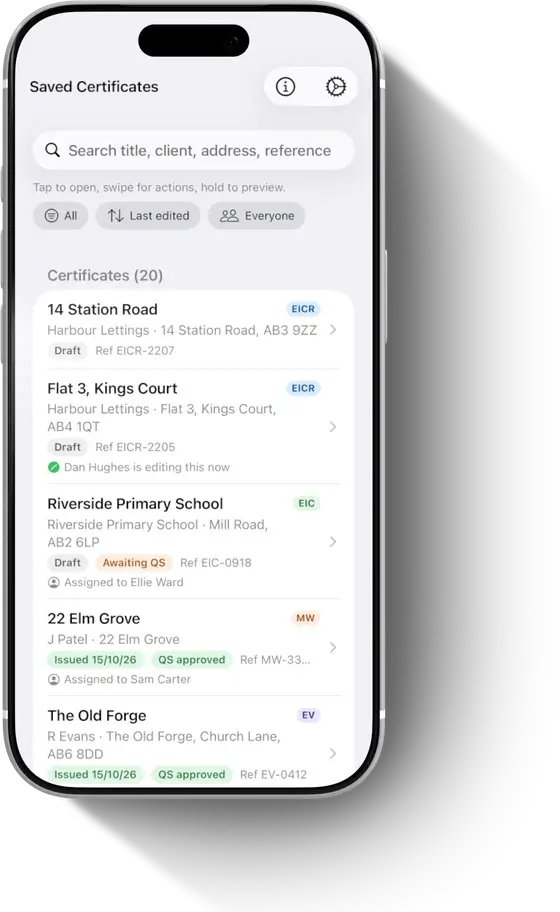
See who is working on what. Every certificate shows who it is assigned to, and when someone has it open you see their name and “is editing this now”.
-
Your own list or everyone’s. Filter Saved Certificates to Everyone, Assigned to me or Unassigned.
-
A role for everyone. Office staff, apprentices whose drafts go to the QS, engineers, your Qualifying Supervisor and Admins, each with the right access.
Teams comes with the Team 5 and Team 10 plans. Set it up in Tools, Business Collaboration.
The team and certificates shown are examples.
Book the Visit. Your Customer Confirms It.
Book your visits, let customers confirm them by email, and turn each one into a certificate with the details already filled in.
-
Customers confirm by email. One tap sends them the day and time from your business name. They answer Accept, Decline or Ask for another time, with no app or account.
-
You hear when they answer. A notification tells you, and the visit is labelled Accepted, Declined or Wants a new time.
-
Every job in one place. Today, this week, or any day on the month calendar. Your next visit sits on the Home screen.
-
Nothing typed twice. Book from a client in Client Hub, or from a certificate in Retests due. Start certificate carries the client and the address onto the certificate.
The Diary comes with every iCertifi Cloud Pro subscription. Bookings stay in step on your iPhone and iPad through your iCloud.
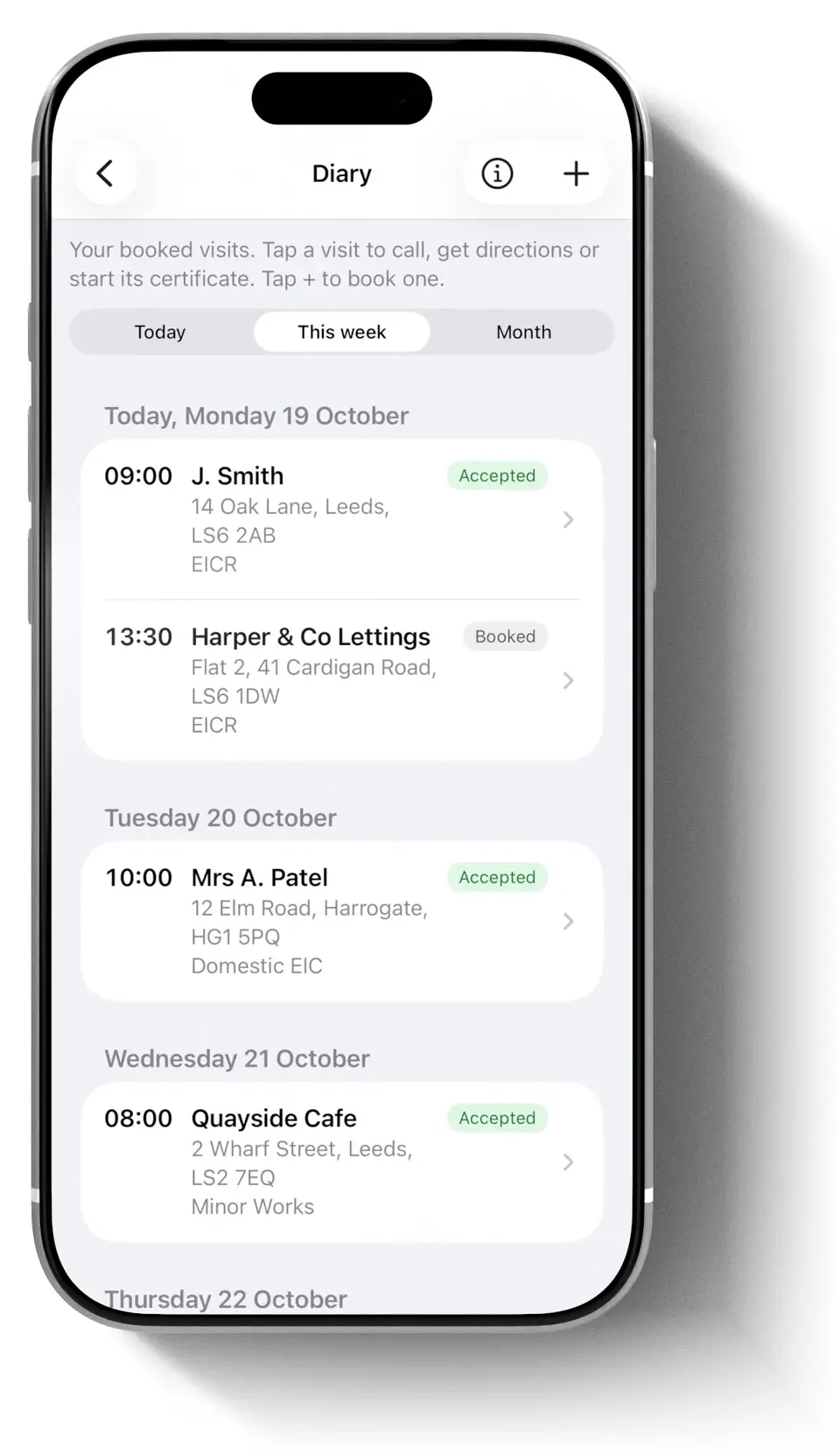
The customer and address shown are examples.
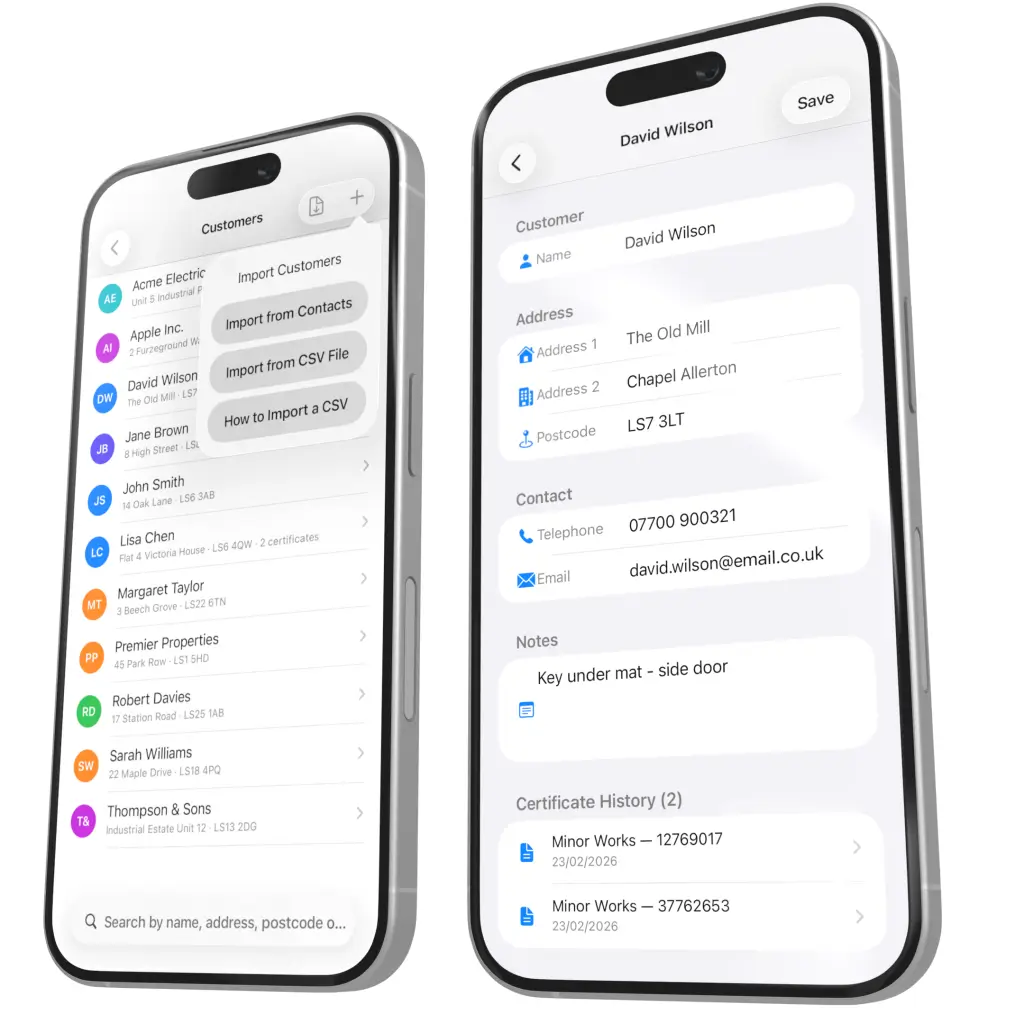
Built-In Customer Database Every Client. Every Certificate. One Place.
Keep your clients organised and all their certificates connected, so any engineer in your team can find, open and manage any job in seconds.
-
Bring your client list with you. Add clients manually, or import your existing list via CSV.
-
No double entry. Pull a client into any certificate.
-
Their whole history on one record. Every BS 7671 electrical certificate ever raised for them.
Your clients. Your certification history. Always at your fingertips.
Certificate Automations Set It and Forget It.
Build your own workflows that run as you complete certificates. Choose a trigger, set conditions, define the action.

Your client follows the job. Right from Apple Wallet.
Turn on Progress Sharing for one certificate and your client gets a private link that shows the stage the job has reached, updated as you work. On an iPhone they add it to Apple Wallet, and the card keeps itself up to date.
-
Fewer “how is it going?” calls. When the certificate moves on, the alert appears on their lock screen, on iPhone and Apple Watch.
-
The next job comes back to you. One reminder 30 days before the next inspection is due, with your firm name and phone number on it.
-
Nothing for your client to install. The link opens in any browser. No app, no sign in, no account.
-
Your readings stay yours. No test results and no observations are ever shared.
Included with Cloud Pro Enterprise, Team 5 and Team 10, for every seat holder on the team.


The real progress page your client opens, with an illustration of the Wallet card and a status alert.
Remote QS Sign-Off and Audit Trail for Electrical Contractors
Engineers complete the work on site. Your Qualified Supervisor reviews and signs off from anywhere: office, home, or another site.
-
Submit from site. The engineer records the test results and submits the certificate for QS approval.
-
Instant notification. The QS can view the full certificate, the test results and the submitting engineer’s details.
-
Check, approve, and sign. Review and sign off completed certificates directly in the app.
-
A full audit trail. Who created, reviewed and approved each certificate, exportable at any time for BS 7671 compliance and record-keeping.
Full compliance, fast workflows. No paperwork. No delays.

Connect Your Certification Workflow to Anything.
When the certificate is done, the possibilities are endless. iCertifi Cloud Pro integrates with Zapier, Make and n8n, connecting your certification workflow to thousands of platforms.


Built for electrical contracting businesses operating at scale.
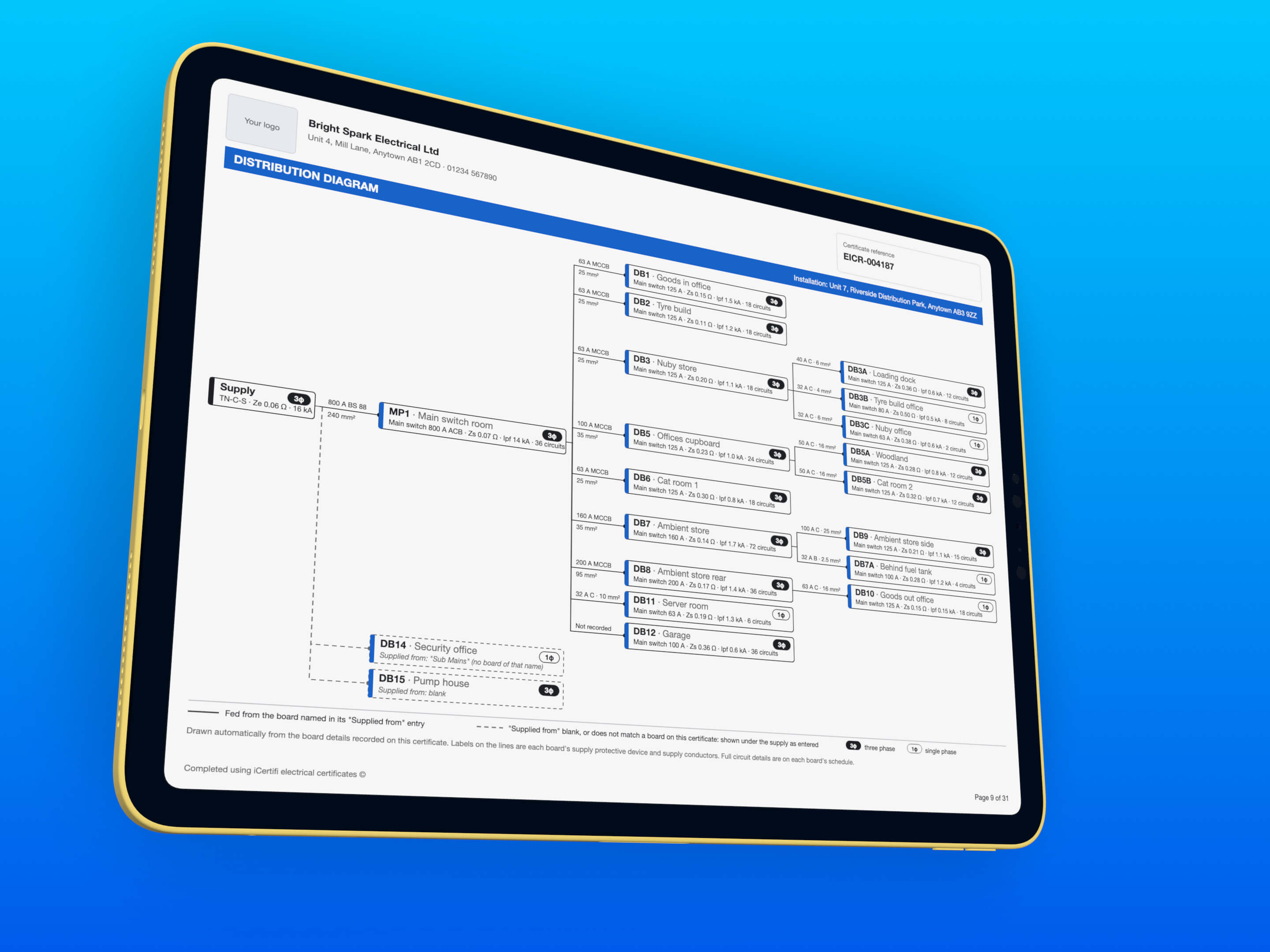
Automatic DB Schematic. See what feeds what.
Every certificate with two or more boards can carry a distribution diagram: the supply, every board and the board that feeds it, drawn for you on its own PDF page.
-
Nothing new to fill in. It is drawn from each board’s Supplied from box, with the supply device and cable size on every line.
-
Gaps show up. A blank or unmatched link is drawn as a dashed line, and Check board links suggests the missing ones from your circuit names.
-
EICR, EIC, Domestic EIC and EV Charger Point. Turn on Board Diagram in Settings, or for one certificate from its cog menu.
Turn it sideways. Get the circuit chart.
Upright, you fill in one circuit at a time. Turn your iPad or iPhone sideways and the board becomes a traditional schedule of test results: one row per circuit, every column the schedule prints, and any box ready to fill in.
-
Both ways, same circuits. Type in the chart, turn back upright, and the circuit page shows it.
-
Straight down the column. Return moves to the next circuit and skips spares. N/A, Lim and Clear sit on the keyboard bar.
-
Checked as you type. Out of range readings turn orange or red, and Maximum permitted Zs follows the breaker.
NFC Tags on the Board. Tap your iPhone, open the certificate.
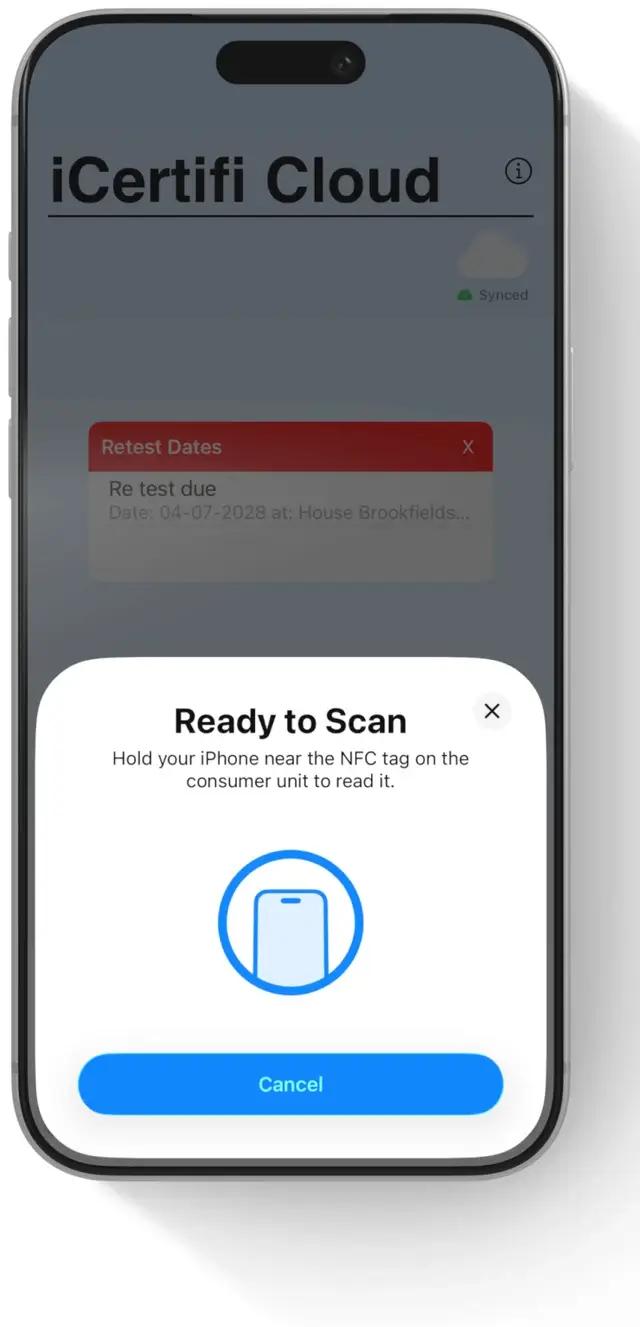
Stick a small NFC tag on the consumer unit and write the certificate link to it. On your next visit, hold your iPhone near the tag and the certificate comes straight up, with every circuit, test result and observation.
-
Write the tag from the board. Open the distribution board in the certificate, tap the NFC button and choose Write Tag.
-
Scan it on the next visit. Hold your iPhone near the tag. Cloud Pro finds the certificate and shows its type, reference and number of boards.
-
Open it, or start the next inspection. Open the existing certificate where you left off, or create a copy with the boards, circuits, observations and client details ready for the new inspection.
-
Scan from the home screen. Turn on the home screen scan button to read a tag as you arrive, before you open a certificate.
Use NTAG215 tags or any NFC Forum Type 2 tag. Reading and writing tags needs an iPhone with NFC.
Certificates from another app? Import the PDF.
Moving to Cloud Pro, or taking over a job another firm certified? Import PDF reads a certificate made in another app or software and turns it into a Cloud Pro certificate for you to check and finish.
-
Boards, circuits and readings. The client, installation and supply details, and every board, circuit and test reading on the schedule. Make it an EICR, EIC, Domestic EIC or Minor Works.
-
You check before it imports. Any reading the PDF gave two different answers for is shown for you to pick or type. Tick boxes, observations, the earthing type and the overall result are left for you to fill in.
-
10 imports free. Whatever their size. After that each circuit uses 1 AI token, the same as Board Vision. Tap the cog in Saved Certificates, then Import PDF.

From observation to the repair certificate.
Coded a C1, C2, C3 or FI on an EICR? Tap Certificate for this repair on the observation and choose the certificate the work needs. It starts filled in from the EICR.
-
Minor Works, EIC or Domestic EIC. Minor Works for a repair to one circuit you pick. EIC or Domestic EIC for a new consumer unit, new circuits or a rewire, copying the boards and circuits (names, cables and wiring) or starting with an empty board.
-
Nothing typed twice. The client, address, contractor, supply and earthing details come from the EICR, with a description of the work taken from the observation.
-
The EICR stays as it is. Test results, protective devices, dates and signatures are left blank for the new work, and the new certificate is saved alongside the EICR.


iCertifi & MintBooks Certificate done. Invoice done.
The second you save a certificate, MintBooks builds the invoice. You do the electrics, the paperwork does itself. MintBooks is recognised by HMRC for Making Tax Digital, so your VAT returns and Income Tax updates go straight to HMRC from the app.
-
Finish the certificate. Complete your EICR, minor works or any cert in iCertifi like you always do.
-
Tap save. That is your only extra step. No signal on site? It queues and syncs the moment you reconnect.
-
MintBooks builds the draft. Client, property and price arrive as a ready-to-send draft invoice. Matched by reference number, so it never duplicates.
-
Check it, send it, get paid. Tweak pricing or add a line if you want, then send. Nothing leaves without you.
iCertifiEICR signed off
MintBooksDraft invoice ready
Link iCertifi to MintBooks and stop typing the same job out twice.
Electrical Certification Software for Contractors
Built for multi-engineer firms running certification at scale. Every engineer synced, every certificate tracked, every approval logged.
iCertifi vs iCertifi Cloud Pro
Can I Transfer Certificates From iCertifi to iCertifi Cloud Pro?
Yes! Migrating from iCertifi to iCertifi Cloud Pro takes about 30 seconds and is very straightforward.

BS 7671 Electrical Certificates Included With iCertifi Cloud Pro
Suitable For All Scheme Providers
Your Data. Your Certificates. Your Choice.
iCertifi Cloud Pro does not tie you to any single scheme provider or registration scheme. Adjust certificate colours, add and replace company and scheme logos, and change enrolment numbers instantly. Take your BS 7671 electrical certificates with you if you change provider. Your electrical certificate data remains yours. Whether you need a NICEIC approved app or work with NAPIT, ELECSA or SELECT, iCertifi Cloud Pro supports them all.
Notifying Electrical Work
As iCertifi Cloud Pro is not tied to any scheme, it does not matter what scheme provider you use – or if you are not a member of a scheme. You can use iCertifi Cloud Pro electrical certificates if you are competent to issue them.
Learn About Notifying Through Your Scheme Provider When Using iCertifi >
Works on iPhone, iPad & Mac
iCertifi Cloud Pro is a native Apple app — built for the devices electricians already carry on site every day.
iOS 18 or later
iPadOS 18 or later
macOS 15 or later
iCertifi Cloud Pro FAQs
iCertifi is a standalone electrical certification app for individual electricians. iCertifi Cloud Pro adds automatic cloud sync across all Apple devices, QS remote sign-off, team collaboration, certificate automations, a built-in customer database, and third-party integrations via Zapier and Make. Cloud Pro is designed for electrical contractors and multi-engineer firms.
Yes - iCertifi Cloud Pro has full offline working. You can complete any BS 7671 electrical certificate on site with no data connection or mobile signal. All test results are saved locally on your device and automatically synced to the cloud when you are back online.
iCertifi Cloud Pro includes EIC, DEIC, EICR, Minor Works, 3 Circuit Minor Works, Electrical Danger Notice, Visual Inspection Report, Earthing and Bonding, Isolation Certificate, EV Risk Assessment, Landlords Interim Safety Checklist, Remedial Report, Electrical Risk Assessment, Ventilation Certificate, and Solar PV Array Test Report.
Yes. With an Enterprise subscription, Qualified Supervisors can review, correct, and sign electrical certificates remotely from anywhere. Every action is logged in a full audit trail. Engineers submit completed certificates from site and the QS receives an instant notification to review and approve.
Yes - transferring your existing electrical certificates from iCertifi to iCertifi Cloud Pro takes around 30 seconds and is very straightforward. All your certificate data moves across intact.
Board Vision is an AI feature that reads your distribution board by pointing your iPhone or iPad camera at the fuseboard. It automatically identifies circuits, MCBs, RCBOs, and RCDs and transfers all data directly into your electrical certificate - eliminating manual circuit entry completely and saving significant time on every job.
Yes. iCertifi Cloud Pro is not tied to any single scheme provider or registration scheme. You can adjust certificate colours, add your company and scheme logos, and change enrolment numbers at any time. Your BS 7671 electrical certificates and data always remain yours.
Free Max Zs Calculator (BS 7671)
Also from iCertifi: check maximum permitted earth fault loop impedance (Zs) values against BS 7671 for MCBs, RCBOs and fuses. Free, instant, no sign up.